

Teams Channels Done Right: Why Most Companies Get This Wrong
Microsoft Teams has a channel problem. Not a technical problem, a people problem.
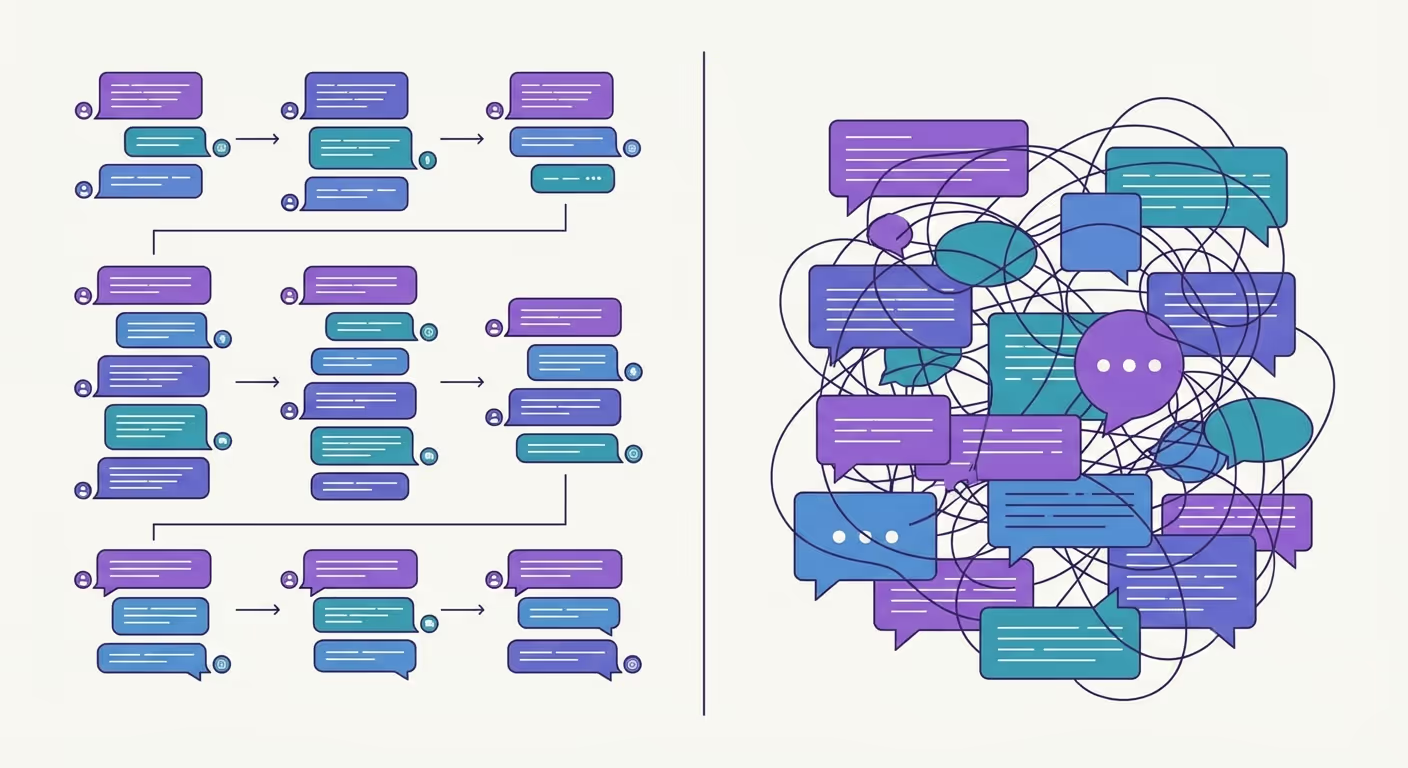
The pattern is familiar: a company adopts Teams, everyone creates teams and channels with enthusiasm, and within six months it's chaos. Channels proliferate. Nobody can find anything. Conversations end up in the wrong places. People start creating new teams because the existing ones are too messy, which only makes things worse.
The result? Teams becomes a source of frustration rather than productivity. People avoid it, or use it grudgingly, or retreat to email because at least they know how that works.
It doesn't have to be this way. Channels are genuinely useful when set up thoughtfully. The problem is that most organisations skip the thinking part.
What Channels Are Actually For
A channel is a focused space within a team for conversations and files related to a specific topic, project, or workstream.
The key word is focused. Channels work when they help people find the right conversation and the right files. They fail when they become a dumping ground for everything, or when there are so many of them that nobody knows where to post.
Think of it this way: if Teams is the office, channels are the rooms. You don't want one giant open-plan space where every conversation happens at once. But you also don't want 47 tiny cupboards that nobody can keep track of.
The Mistakes Most Companies Make
1. Too many channels, too soon
The most common mistake is creating channels for everything imaginable before anyone actually needs them. You end up with a long list of channels, most of which are empty or barely used, and people stop paying attention.
Start with fewer channels than you think you need. You can always add more. It's much harder to clean up channel sprawl after the fact.
2. Vague or inconsistent naming
Channel names like 'Stuff' or 'Miscellaneous' or 'General Discussion' tell you nothing. Neither do names that make sense to one person but not to anyone else.
Good channel names are short, clear, and consistent. If you have channels for different projects, use the same naming pattern for all of them. Avoid words like 'discussions' or 'chats'. It's Teams, we know it's for chatting.
Keep names under 30 characters where possible. Long names get cut off on mobile, which defeats the purpose.
3. No clarity on what goes where
When you create a channel, do you explain what it's for? Most people don't. They create the channel, maybe add a couple of posts, and assume everyone will figure it out.
They won't. Take 30 seconds to post a pinned message explaining the channel's purpose and how it should be used. It saves endless confusion later.
4. Ignoring the General channel
Every team has a General channel that you can't delete or rename. Many organisations treat it as a dumping ground, which makes it useless.
Better approach: use General for team-wide announcements and information that doesn't fit anywhere else. Some organisations restrict posting in General to owners only, so it stays clean and focused.
5. Everything in channels, nothing in chat
Not every conversation needs to be in a channel. Quick questions between two people? That's what chat is for. Dragging those conversations into channels just adds noise for everyone else.
Use channels for conversations that benefit from visibility, where others might want to follow along, contribute, or find the information later. Use chat for direct, person-to-person exchanges.
A Better Approach
Here's how to set up channels that actually work:
Start with structure, not volume
Before creating channels, think about how your team actually works. What are the main workstreams or projects? What topics come up repeatedly that would benefit from their own space?
A typical team might need just four or five channels to start. A larger team with multiple ongoing projects might need more, but probably fewer than you think.
Use consistent naming conventions
Agree on a naming pattern and stick to it. For example:
- Project channels: 'Project - [Name]'
- Client channels: 'Client - [Name]'
- Functional channels: 'Marketing', 'Finance', 'Operations'
If you want channels to appear in a specific order, you can prefix them with numbers (01, 02, 03). But only do this if you have a good reason — it adds complexity.
Add descriptions to every channel
When you create a channel, add a description that explains what it's for. This shows up when people hover over the channel name, and it helps new team members understand the structure.
Pin important information
Use pinned posts to keep essential information visible. This might be guidelines for using the channel, links to key documents, or standing agenda items. Pinned content stays at the top and doesn't get buried by new messages.
Use tabs to bring in relevant content
Each channel can have tabs for apps, files, websites, and more. If there's a document your team references constantly, add it as a tab. If you use Planner for task management, add a Planner tab. This keeps everything in context rather than scattered across different apps.
Review and clean up regularly
Channels that made sense six months ago might not make sense now. Review your channel structure periodically. Archive or delete channels that are no longer active. Rename channels if the original name no longer fits.
This isn't a one-time setup. It's ongoing maintenance.
Private Channels: Use Sparingly
Private channels exist for conversations that shouldn't be visible to everyone in the team, such as HR matters, sensitive projects, and confidential discussions.
But they come with limitations. Private channels have their own SharePoint folder structure, which can complicate file management. And overuse of private channels fragments information, meaning suddenly half your team can't see half the conversations.
Use private channels when you genuinely need them. Don't use them as a default.
The Payoff
When channels are set up thoughtfully, Teams becomes genuinely useful:
- People know where to post things
- Conversations stay focused and findable
- Files are organised alongside the discussions that reference them
- New team members can get up to speed quickly
- Nobody wastes time hunting for information
It's not complicated, but it does require intentionality. The teams that get channels right aren't the ones with the fanciest setup. They're the ones that thought about structure upfront and maintain it over time.
Want help getting your Teams setup right? Our Teams training covers practical approaches to channels, collaboration and file management, not just features, but how to use them effectively. Get in touch.



Ready to get more from Microsoft 365?
Book a free consultation to talk through where you are and where you want to be. No pressure, no hard sell. Just an honest conversation.

